
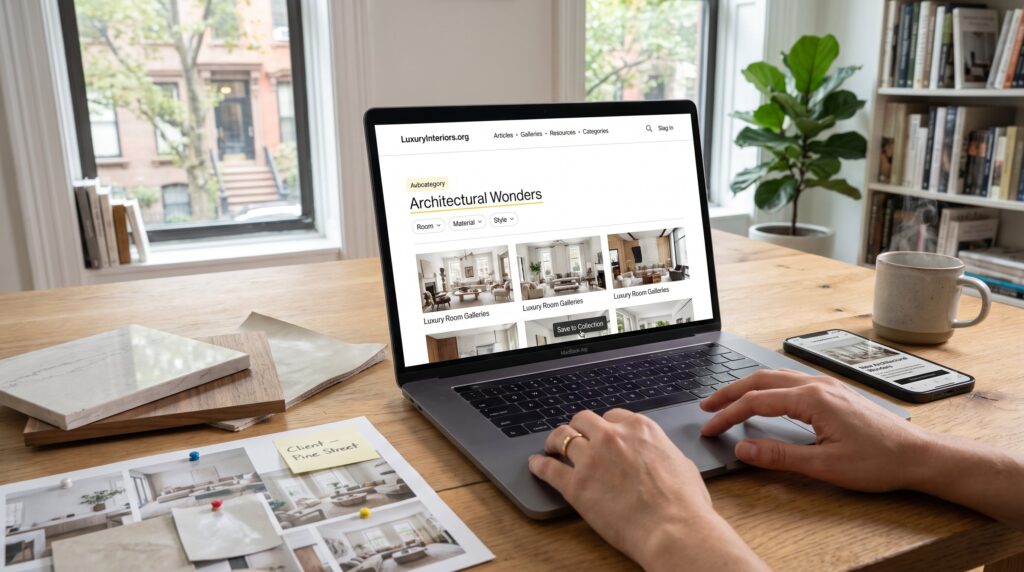
How to Navigate LuxuryInteriors.org is the quickest way for a design fan to find curated projects, product recommendations, and lifestyle stories. The site packs thousands of galleries, editorial features, and resource pages behind a clean menu, so a focused approach saves time. This guide shows precise, repeatable steps to find Architectural Wonders, Design & Decor ideas, Lifestyle features, and niche content fast. It also covers search, filters, and account tools so readers and professionals can capture inspiration and reuse it in real projects.
Key Takeaways
- LuxuryInteriors.org offers curated galleries, product recommendations, and lifestyle stories that streamline high-end design research efficiently.
- Using the main menu and category filters strategically helps users quickly find specific areas like Architectural Wonders or Design & Decor without losing their place.
- Combining room type, material, and style filters narrows broad archives to a manageable set of highly relevant posts for precise inspiration.
- The on-site search supports exact phrase matches and filtering by date or category, enhancing the discovery of niche content such as limestone fireplaces or mid-century walnut.
- Creating an account unlocks features to save articles into collections, subscribe to topic alerts, and build personalized visual briefs for ongoing design projects.
- Regularly pruning saved collections maintains organization, making LuxuryInteriors.org a dynamic resource for both quick inspiration and detailed project planning.
Why LuxuryInteriors.org Is A Useful Resource For Design Enthusiasts
LuxuryInteriors.org is a centralized repository of high‑end design content and practical resources. It aggregates thousands of project galleries, product pages, and trend essays that a designer or enthusiast can browse in one place.
Practical detail: the site groups projects by room, material, and style so users can compare 20–60 project images side‑by‑side without leaving the page. That makes it faster to spot recurring materials or color palettes. For example, a reader researching limestone fireplaces can jump from a room gallery to materials notes and supplier mentions in under two minutes.
A common mistake newcomers make is scanning headlines only. Instead, start with category indexes and gallery filters to map the site’s structure. Readers who want a quick orientation can read the site’s editorial mission and curation process in the pillar overview on about the blog, which explains how topics and guides are selected and organized.
How To Navigate The Main Menu And Categories
The main menu is the single fastest way to reach core content: Articles, Galleries, Resources, and Categories. The fact: menu labels map directly to site sections so clicking a top label reveals subcategories and filters immediately.
Start by scanning the top navigation for the target area, “Architectural Wonders” or “Design & Decor”, then open that category in a new tab to keep your place. The site uses consistent sublabels like room type and style: use them to narrow a long archive to 10–30 relevant posts.
Useful internal shortcuts include the site’s starter guide and orientation posts. If someone wants a step‑by‑step beginning, the short primer on how to start luxuryinteriorsorg explains which sections suit professionals and which suit hobbyists.
Tips for power users: hold Command/Ctrl while clicking multiple subcategories to collect tabs, or use the browser’s Find function to jump to specific words on long category pages.
Breakdown Of Key Sections: Architectural Wonders, Design & Decor, Lifestyle, Gaming, And More
Architectural Wonders: this section compiles notable projects with images, plans, and material notes. Insight: readers can extract construction details and material lists without specialist access.
Design & Decor: room-specific galleries, shopping selections, and style explainers appear here. A practical use-case: pull three living room schemes, note repeat materials, and create a short procurement list.
Lifestyle: features on hotels, clubs, and private residences live here. These pieces help define how a design idea performs in lived space, lighting, circulation, and daily use.
Gaming: the site includes a separate Luxury Interiors app and game content that explores virtual staging and match‑3 puzzles tied to design themes. It’s not core editorial content but useful for visual experimentation.
For a richer jump into room-based examples and curated lists, the site’s room ideas collection provides structured inspiration in a single place through the room ideas page.”
Tips For Quickly Locating Niche Content Within Category Pages
Start with the explicit fact: subcategory labels narrow results by room type, material, or project type. If a reader needs Venetian plaster kitchens, click “Design & Decor,” then choose “Kitchen” and apply the style filter.
Practical pointers:
- Use two filters together (room + material) to reduce a 500‑item archive to 12–30 posts.
- Scan thumbnail captions for supplier names or material calls, those captions often contain the exact search term needed.
- Bookmark or save result pages as collections in a user account to avoid repeating searches.
A common challenge: categories can be broad. Remedy it by combining filters and tags. For example, filter “Living Room” + “Mid‑Century” + “Material: Walnut” to get tightly focused results. For deeper technical detail, the materials section on the site lists finishes and specimen notes that professionals cite when specifying products.
Using Search, Filters, Tags, And Archives Effectively
Fact first: the on‑site search indexes articles, galleries, and tags, returning exact phrase matches and related suggestions. Use quotes for exact phrases and hyphens to exclude words when necessary.
How to use it well:
- Enter a precise phrase like “limestone fireplace” in quotes to pull galleries where that phrase appears.
- Combine search with site filters: after a search, apply date or category filters to weed out older design trends.
- Use tag clouds on article pages to jump sideways into related topics: tags act like micro‑indexes.
Archives matter: the archive pages store past posts by month and year. When researching trend evolution, say, brass finishes from 2018 to 2024, open the 2018 archive and compare image captions and materials notes to current posts.
If a reader needs a materials deep dive, the site’s dedicated materials and finishes page gathers specimen information and supplier mentions, which speeds specification work. For validation of search habits, browsing the site’s help and how‑to posts shows best practices for tags and filters.
Getting The Most Out Of The Site: Saving Articles, Subscribing, And Personalizing Your Experience
Key point: registering on the site unlocks saving, collections, and personalized recommendations, which turn passive browsing into a reusable research system.
Concrete steps:
- Create an account and use the “save” button on any gallery or article. A saved collection becomes a visual brief a designer can export to a client.
- Subscribe to topic alerts (e.g., Architectural Wonders) to receive curated updates when new projects publish. Subscribers typically see highlighted product lists before they appear in general feeds.
- Use collections as working folders: name a folder “Client – Pine Street” and save relevant galleries, supplier notes, and materials for one project.
Practical warning: saved collections can grow large: periodically prune items you won’t use. A useful habit is to archive items older than two years if they no longer fit your client brief.
For readers who want a structured tour of the blog’s purpose and content layers, the site offers a detailed orientation article that explains content pillars and intent in plain language: this overview helps decide which subscription channels to enable in an account. See the short explainer about the site blog for guidance on how the editorial calendar shapes recommendations.
Conclusion
LuxuryInteriors.org becomes faster to use when readers pair the main menu with precise search habits, filters, and account tools. They avoid wasted time by saving collections, using subcategory labels, and relying on the site’s materials indexes. With a few practiced steps, the platform supports both quick inspiration and durable project briefs.